AI in the Financial Close: Copilot and Agents in Dynamics 365 Finance
Reconciliation and collections eat finance teams’ time every month. Here’s what Microsoft’s own finance team saw with Copilot, and what the new Dynamics 365 Finance agents do.
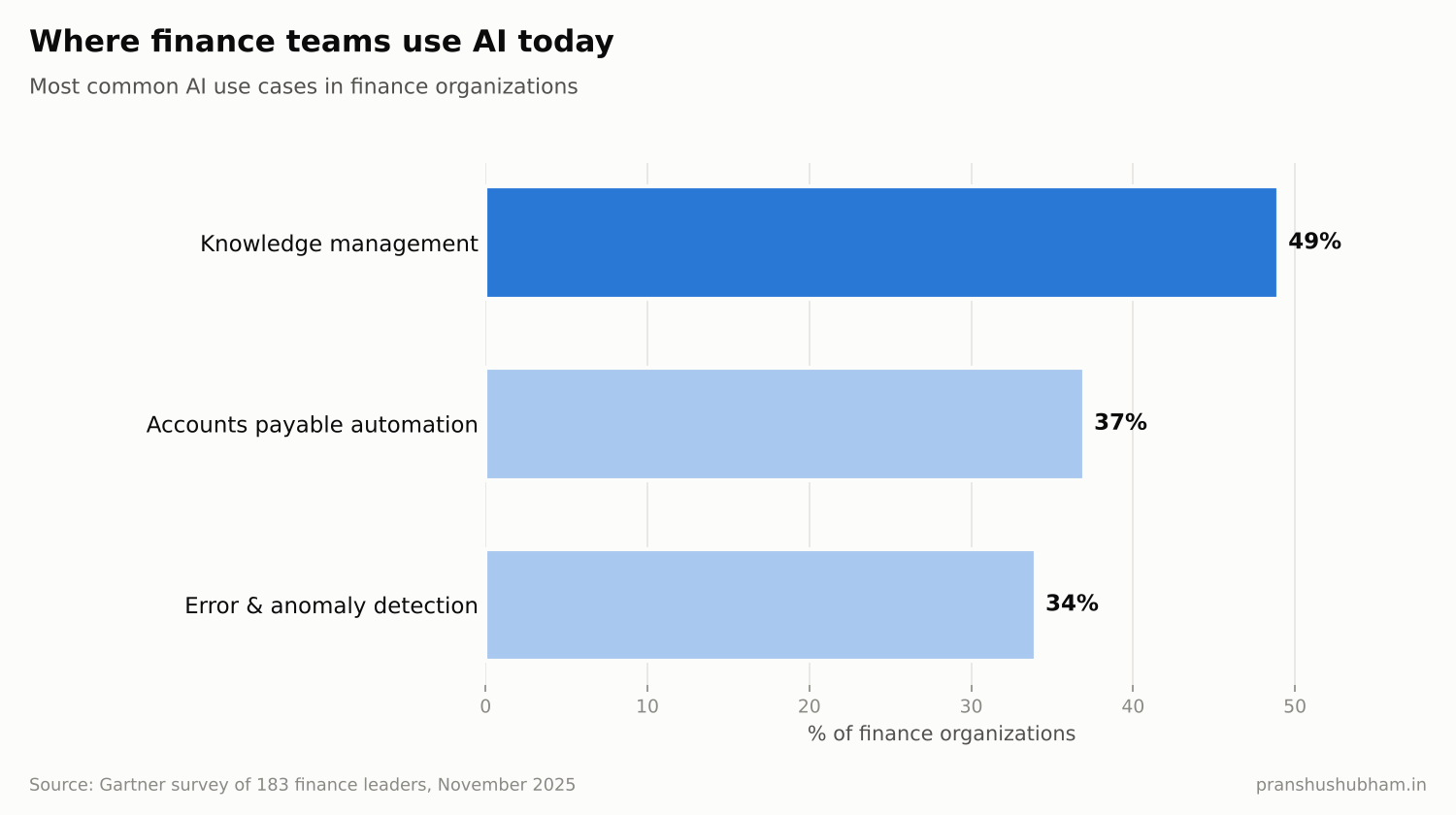
Top finance AI use cases chart
Ask any controller where the month goes and you’ll hear the same answers: reconciling subledgers to the general ledger, matching bank lines, chasing overdue customers. It’s essential work, and most of it is repetitive.
That’s where AI in finance is landing first. Gartner’s November 2025 survey of 183 finance leaders found that the most common AI use cases in finance are:
- Knowledge management: 49%
- Accounts payable process automation: 37%
- Error and anomaly detection: 34%
And 59% of finance functions now use AI in some form, up from 37% in 2023.
Case study: Microsoft’s own finance team
Microsoft is one of the most demanding users of its own finance tools. When it launched Copilot for Finance in February 2024, it published results from its internal teams:
- Financial analysts typically spend one to two hours a week reconciling data. With Copilot for Finance, that’s down to 10 minutes.
- In accounts receivable, Microsoft Treasury reported saving an average of 20 minutes per account.
- The same team reported an average of 22% cost savings in average handling time.
The pattern is the one finance leaders should copy: pick repetitive, rule-heavy tasks, measure the baseline, and let AI prepare the work while people review it.
What’s new in Dynamics 365 Finance
Beyond Copilot in Microsoft 365, Dynamics 365 Finance itself now includes AI agents. The Account Reconciliation Agent, in production-ready preview according to Microsoft Learn, requires Finance version 10.0.46 or later. It:
- Reconciles subledgers to the general ledger, covering accounts payable, accounts receivable, tax and bank
- Highlights differences that need attention instead of making accountants hunt for them
- Replaces the older SSRS reconciliation reports with an interactive experience
For collections, Copilot can summarize a customer’s account and draft personalized reminder emails based on payment history, so collectors spend their time on the conversations that matter.
How to bring AI into your close
1. Map your close calendar. List every task, its owner and how long it takes. Reconciliations and accruals usually stand out.
2. Fix posting profiles and subledger setup first. An agent reconciles what the system posts. Inconsistent setup creates differences no AI can explain.
3. Start with one subledger. Bank or accounts receivable is usually the easiest place to prove value.
4. Keep the review step. AI prepares and flags; the accountant approves. That keeps auditors comfortable.
5. Track close days and hours saved. Microsoft’s “10 minutes instead of one to two hours” is the kind of measure that builds the case for the next step.
FAQ
What is the Account Reconciliation Agent in Dynamics 365 Finance? It’s an AI agent, in production-ready preview, that reconciles subledgers such as accounts payable, accounts receivable, tax and bank to the general ledger. It needs Dynamics 365 Finance version 10.0.46 or later.
What is Copilot for Finance? It’s Microsoft’s AI assistant for finance work in Microsoft 365 apps like Excel and Outlook, connecting to ERP data for tasks such as reconciliation and collections.
The takeaway
The financial close is full of tasks that are vital, repetitive and measurable, which makes it one of the best places to start with AI. Microsoft’s own finance team shows the size of the prize: hours become minutes.
I’m Pranshu Shubham, a D365 F&O Solution Architect who builds AI for ERP. If you want to bring AI into your Dynamics 365 Finance close, get in touch.